
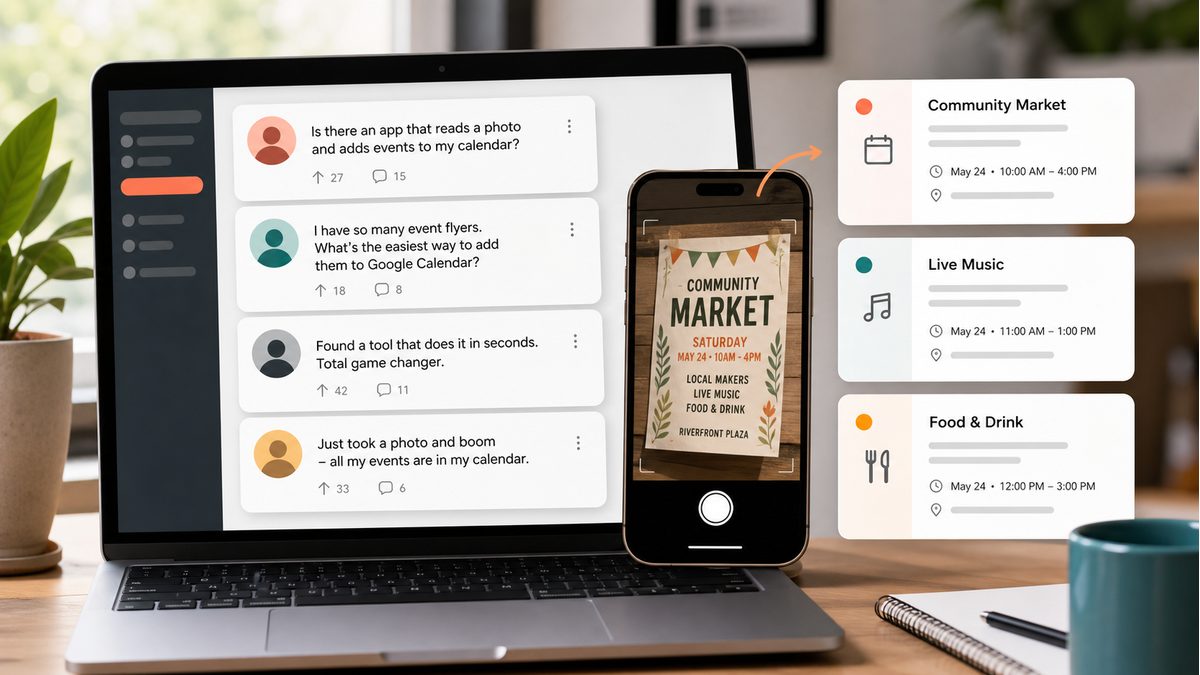
Every week, someone posts on Reddit asking the same question: 'Is there an app that reads a photo of a flyer and adds events straight to my calendar?' The answer is yes — and here's the solution the productivity community landed on.
What Reddit Users Are Actually Asking
Browse r/productivity or r/LifeHacks and you'll find dozens of threads from people frustrated by the same thing: they have a photo of a schedule, a flyer, or an appointment card, and they want it in their calendar without retyping every detail by hand.
Is there any tool that can scan a photo of a class schedule and automatically add the events to Google Calendar? I'm spending 30 minutes every semester retyping everything manually.
— r/productivity
This question — and hundreds like it — appears regularly across r/productivity, r/LifeHacks and similar communities. It's one of those small but genuine pain points that millions of people share.
Why This Problem Is So Common
We live in a world where information is still frequently shared as images — printed flyers, photographed schedules, screenshots of WhatsApp messages, event posters on walls. Yet our calendars require structured text: a title, a date, a time, a location.
The gap between 'I have a photo with event info' and 'this is in my calendar' requires either tedious manual typing or a tool smart enough to bridge it. Until recently, no good free tool existed for exactly this.
The Solution the Community Landed On
PhotoCalia uses GPT-4 Vision AI to read any image — photos, screenshots, PDFs, scanned documents — and extract every event it finds: title, date, time, location, and description. The result is an ICS file you can import into Google Calendar, Apple Calendar, or Outlook in one click.
No manual typing. No OCR mistakes to hunt down. No credit card required for basic use. Just upload, review the extracted events, and add them to your calendar.
How It Works in 3 Steps
1. Upload your photo or screenshot
Drag and drop any image containing event information — a flyer, an appointment card, a timetable photo, or a PDF. PhotoCalia accepts JPG, PNG, HEIC, and PDF formats.
2. AI extracts the events instantly
GPT-4 Vision reads the image and pulls out every event it finds. You see a clean preview with all extracted details — title, date, time, location. Edit anything before proceeding.
3. Download and import into your calendar
Download the ICS file and open it in Google Calendar, Apple Calendar, or Outlook. All events are added at once. What used to take 30 minutes now takes 30 seconds.
Reddit Communities Where This Keeps Coming Up
If you're active on productivity and tech communities, you'll recognize the recurring use cases:
- r/productivity — tips for organizing work and life — photo-to-calendar is a frequent request
- r/LifeHacks — quick wins for saving time — schedule digitization always gets upvotes
- r/googlecalendar — Google Calendar power users sharing import workflows
Stop Typing. Start Uploading.
PhotoCalia gives you 3 free conversions per month — no credit card required. Try it on your next flyer, appointment card, or class schedule and share it with the communities that keep asking for this.